

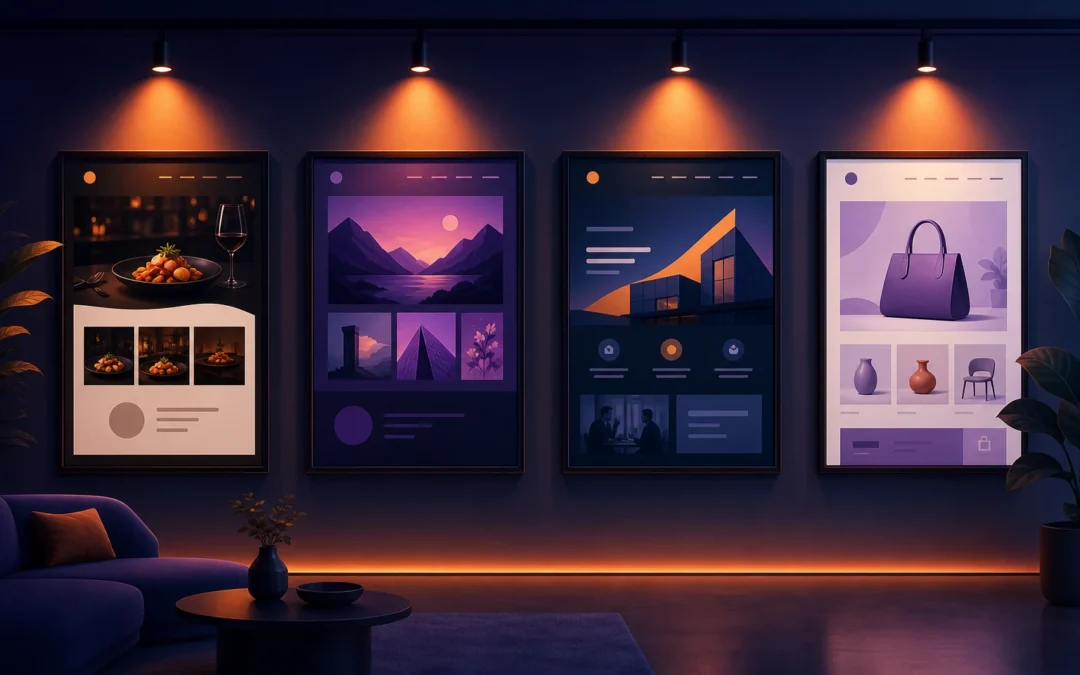
What’s Possible With Divi: 10 Website Types That Prove It All
One of the most common questions from people considering Divi is simple: what can you actually build with it? The answer, it turns out, is almost anything. From elegant portfolio sites to full-blown e-commerce stores, Divi’s visual builder and ever-growing feature set make it one of the most versatile website tools on the planet.
To spark your imagination (and maybe your next project), here are ten stunning types of Divi websites — each with a distinct design style, clever use of Divi’s features, and a clear reason why it works so well. Whether you’re building for a client or yourself, there’s something here to inspire you.
1. Photography Portfolio
Picture a dark, full-screen homepage where a single dramatic landscape photo stretches edge to edge. The photographer’s name fades in slowly using Divi’s scroll-triggered entrance animations, and a minimal navigation floats unobtrusively at the top. As you scroll, a masonry grid gallery reveals itself section by section — each image hovering slightly on mouseover, creating depth and dimension.
This type of site leans heavily on Divi’s Fullwidth Header module, custom row padding settings for that gallery layout, and the built-in hover effects available inside the Visual Builder. The Theme Builder handles a global footer with social icons and a contact CTA, so the photographer never has to manually update it. The result? A site that feels like an art gallery — letting the work do the talking.
2. Law Firm Website
Authoritative, trustworthy, and clean. A high-performing law firm site built with Divi typically opens with a deep navy or charcoal color palette, a strong serif font pairing, and a bold headline: “Experienced Attorneys. Proven Results.” Below the fold, practice area cards use Divi’s Blurb module with subtle icon animations that reinforce professionalism without being flashy.
What makes this type of site particularly effective is Divi’s Theme Builder, which lets you create unique page templates for each practice area — so the Personal Injury page has a completely different visual layout from the Estate Planning page, all without touching code. Attorney bio pages use the Person module, and the testimonials section uses the Testimonial module with a clean slider format. Trust is built visually before a single word is read.
3. Restaurant Website
Imagine warm amber tones, rustic textures, and a mouthwatering hero image of a sizzling dish front and center. A well-designed restaurant site built on Divi uses full-width sections with parallax scrolling backgrounds to create that immersive, “you’re already there” feeling. The menu is laid out using Divi’s Tab or Toggle modules — organized, scannable, and easy to update.
What really elevates a restaurant Divi build is the use of custom CSS inside the Visual Builder for elegant typographic touches (think hand-lettered style fonts via Google Fonts integration) and Divi’s sticky header with a transparent-to-solid scroll effect. A reservation button, prominently placed and styled with a warm accent color, converts casual browsers into actual diners. It’s delicious design.
4. SaaS Product Website
SaaS sites need to do a lot of heavy lifting: explain a complex product quickly, build credibility, and push visitors toward a free trial or demo. Divi handles this brilliantly. Think bold gradient backgrounds (deep purple to electric blue), clean white space, and feature sections that use Divi’s scroll animations to reveal each benefit as the user moves down the page.
Pricing tables are built with Divi’s Pricing Table module, complete with a highlighted “Most Popular” tier. Customer logos are displayed using an image carousel for social proof, and a sticky header keeps the “Start Free Trial” CTA visible at all times. The whole thing communicates speed, innovation, and reliability — exactly what a SaaS prospect needs to feel before they click that button. If you want to build something like this, get Divi here and start from one of the dozens of SaaS layout packs in the library.
5. Personal Blog
A personal blog built on Divi can be anything from a minimalist literary journal to a vibrant lifestyle publication. The most striking examples use Divi’s Blog module creatively — switching between grid, masonry, and full-width layouts depending on content type. A custom header built in the Theme Builder gives the blog a magazine feel, with a featured post hero that updates automatically when new content is published.
Typography takes center stage here. Divi’s granular font controls — size, line height, letter spacing, weight — let bloggers craft a reading experience that feels intentional and personal. Add in Divi’s built-in A/B testing via the Divi Leads feature to test CTA button copy, and suddenly your personal blog is operating like a professional media outlet.
6. Coaching Business
A coaching website needs warmth, credibility, and a clear path to booking. The best Divi coaching sites open with a bright, lifestyle-forward hero image — the coach smiling, outdoors, approachable — overlaid with a simple, powerful headline and a “Book a Discovery Call” button. Below the fold, the story section uses alternating image-and-text rows (one of Divi’s signature layout patterns) to walk visitors through the coach’s background and philosophy.
Divi’s integration with scheduling tools and the use of the Contact Form module for a streamlined intake form makes the conversion path frictionless. Video testimonials are embedded with the Video module, and an FAQ section built with Toggle modules handles objections gracefully. It’s a site that feels like a conversation — and that’s exactly the point. Join Elegant Themes to access the layout packs designed specifically for coaches and consultants.
7. Non-Profit Organization
Great non-profit websites inspire action through emotion and clarity. A Divi-built charity site might open with a full-screen video background — children in a classroom, volunteers at work — immediately communicating mission and impact. Bold statistics (“12,000 meals served last year”) appear using Divi’s Number Counter module, creating a sense of momentum and progress.
The donation flow is streamlined using embedded third-party payment integrations or WooCommerce with donation-style products. Divi’s Theme Builder powers a distinct “Campaign” page template, giving each fundraising drive its own visual identity. Impact reports are presented with Divi’s Bar Counters and Charts, turning dry data into something visually compelling. When design serves purpose this well, donations follow.
8. E-Commerce Store
Divi’s WooCommerce integration is genuinely impressive, and a well-built Divi e-commerce store proves it. Imagine a premium skincare brand: soft pastel tones, editorial-style product photography, and a homepage that flows like a lookbook. Divi’s WooCommerce modules — including the Shop module, Product Image module, and Add to Cart module — let designers build fully custom product pages that look nothing like a default WooCommerce template.
Category pages use custom layouts built in the Theme Builder’s dynamic content system, so every product type has its own tailored browsing experience. Upsell sections are designed as elegant “You Might Also Like” rows. The checkout page is simplified and branded, reducing cart abandonment. The end result looks like a seven-figure brand — because it was designed like one. Try Divi free for 30 days and explore the WooCommerce layout packs available in the library.
9. Architecture Firm
Architecture firms demand websites that are as precisely designed as the buildings they create. A Divi architecture site typically features an almost brutalist layout discipline: extreme white space, monochromatic color palette, oversized project photography, and razor-thin typography. Scroll behavior is everything here — projects slide in from the left, captions fade up with a slight delay, and portfolio grids snap into place with Divi’s CSS transition controls.
The Theme Builder creates a unique single-project template that feels like a case study: hero image, project details in a sidebar, a gallery of detail shots, and a “Next Project” navigation footer. Services are listed with stark simplicity using text-only Blurb modules. This kind of site communicates exactly what an architecture firm should: deliberate, exacting, and impressive.
10. Creative Agency
Agency websites are where Divi gets to show off — and the best ones are genuinely jaw-dropping. Think bold experimental layouts: overlapping sections, diagonal dividers using Divi’s Section Shape Dividers, oversized animated text, and a hero that shifts between three featured projects on a looping interval. Colors are confident — think electric orange on near-black, or cobalt blue on bright white.
The work section uses a custom filterable portfolio built with Divi’s Filterable Portfolio module, letting prospects sort by industry or service type. Case studies live on dynamic single-post templates built in the Theme Builder. A compelling “Start a Project” CTA lives in a globally managed footer section so it’s never more than one scroll away. The entire site communicates one thing: these people know what they’re doing. If you want your agency site to hit that level, grab the Lifetime license and start building.
Every One of These Was Built With Divi — And Yours Can Be Too
What these ten website types have in common — beyond beautiful design — is that they were all achievable with a single tool: Divi. No proprietary platform, no locked-in templates, no developer required. Just Divi’s Visual Builder, its Theme Builder, its growing library of layout packs, and the creative freedom to make something that’s genuinely yours.
Whether you’re a freelancer building sites for clients, a small business owner taking control of your own web presence, or a creative professional ready to showcase your work the right way, Divi gives you everything you need. The examples above aren’t outliers — they represent what’s normal for people who know how to use the tool well. And learning to use it well doesn’t take long.
Ready to start your own stunning Divi website? Start with Elegant Themes today — you’ll get access to Divi, Divi AI, hundreds of layout packs, the Bloom and Monarch plugins, and a community of over a million builders who’ve already figured out what you’re about to discover.
